Skip to Content


Your CAD, ready to cut.

CAD integration with SolidWorks®, Solid Edge® and Inventor®


Discover how it works ➔

Lantek Flex3D CAD Add-ins allow the direct import of 3D sheet metal models from SolidWorks®, Solid Edge® and Inventor® to automatically generate flat patterns for parts and assemblies. The solution connects design and manufacturing without intermediate files, integrating with Lantek Expert (CAD/CAM), Lantek Integra (ERP) and Lantek MES Manager (MES) to ensure a continuous digital workflows directly importing 3D sheet metal models from SolidWorks®, Solid Edge® and Inventor® to automatically unfold parts and assemblies. It automates the transition from design to workshop without generating intermediate files, integrating the entire process with Lantek Expert, Lantek Integra, and Lantek MES Manager.

Up to -70%


Reduction in part design and preparation time by up to 70%.

Direct


No intermediate files. Direct connection between external CAD systems and Lantek Expert.

Compatible


Full compatibility with assemblies, multi-material designs and different thicknesses

Certified compatibility with leading CAD software


Includes dedicated Add-ins for SolidWorks (Solution Partner), Solid Edge (Voyager Partner) and Autodesk Inventor (ADN Member). All Add-ins are updated to recent versions (2023 to 2026) and operate directly within the native CAD environment, ensuring consistent data transfer and usability.

Automatic unfolding from 3D CAD


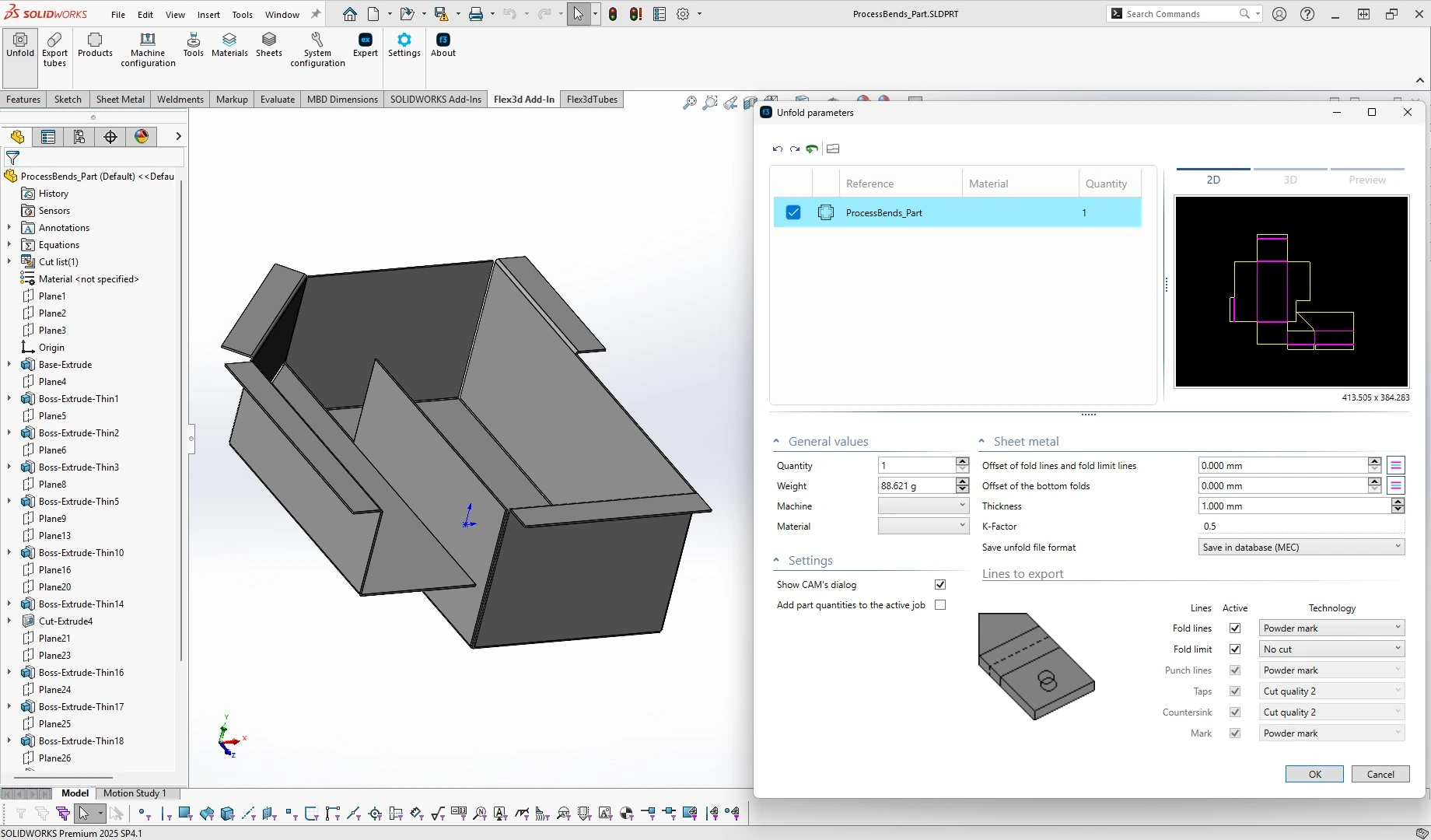
Import sheet metal parts and assemblies directly from SolidWorks, Inventor or Solid Edge. Lantek detects thickness, material and geometry to generate the flat pattern automatically, without manual steps or redrawing. Supports multiple materials, thicknesses and configurations.

Complete assembly import


Import not only individual parts but also full assemblies while preserving their hierarchical structure. The system automatically generates the bill of materials (BOM) and links each component with MES and ERP systems, ensuring traceability and production control from design to shop floor.

Contact our team


We will help you identify the most suitable solution for your manufacturing environment.


Contact us


Key features

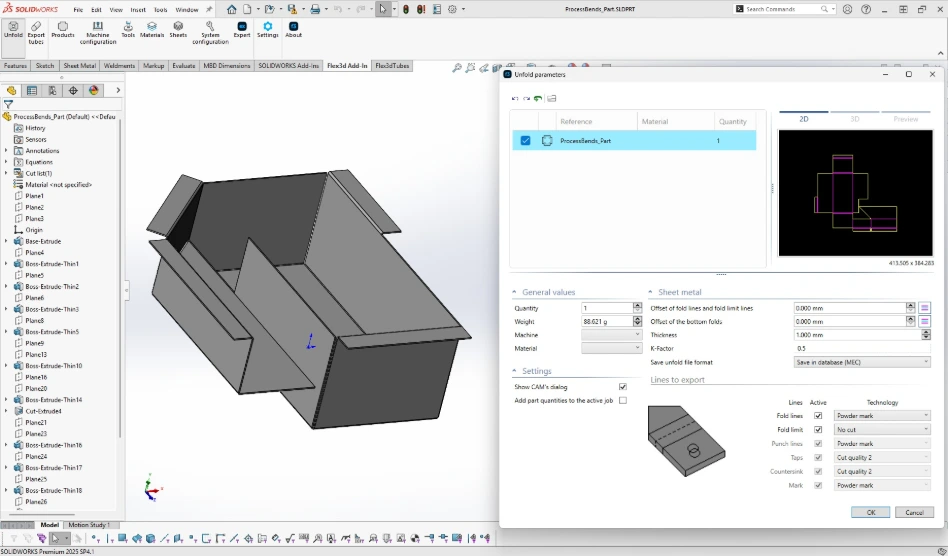
Automatic unfolding of sheet metal


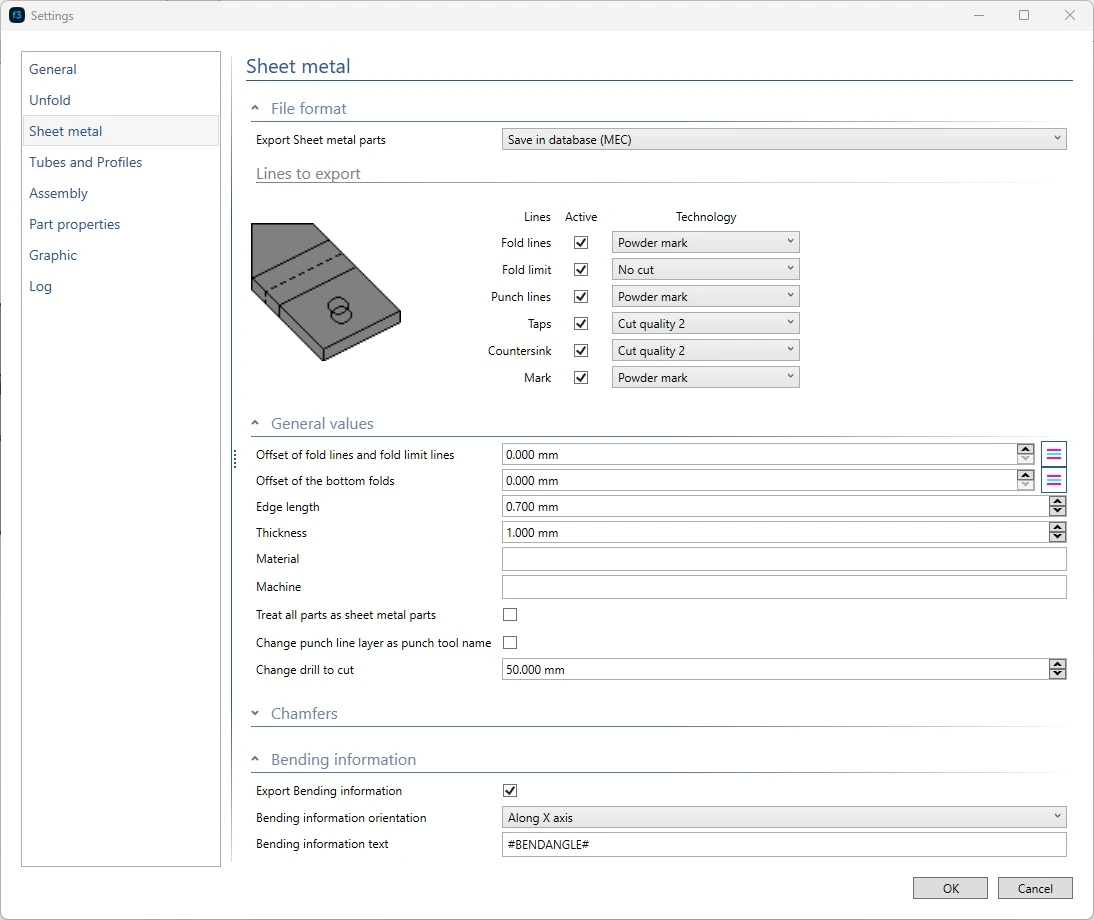
Generates the flat pattern from the 3D model while preserving thickness, bend radii and fold definitions from the original CAD design. Uses the same unfolding parameters defined in the CAD system.
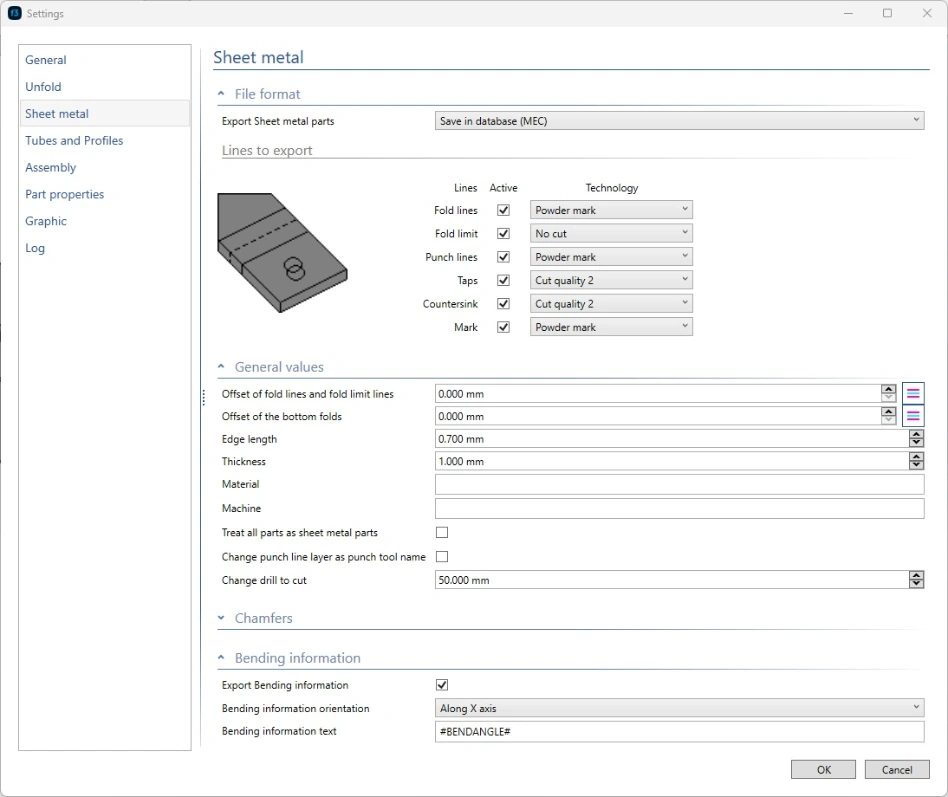
Automatic assignment of technologies


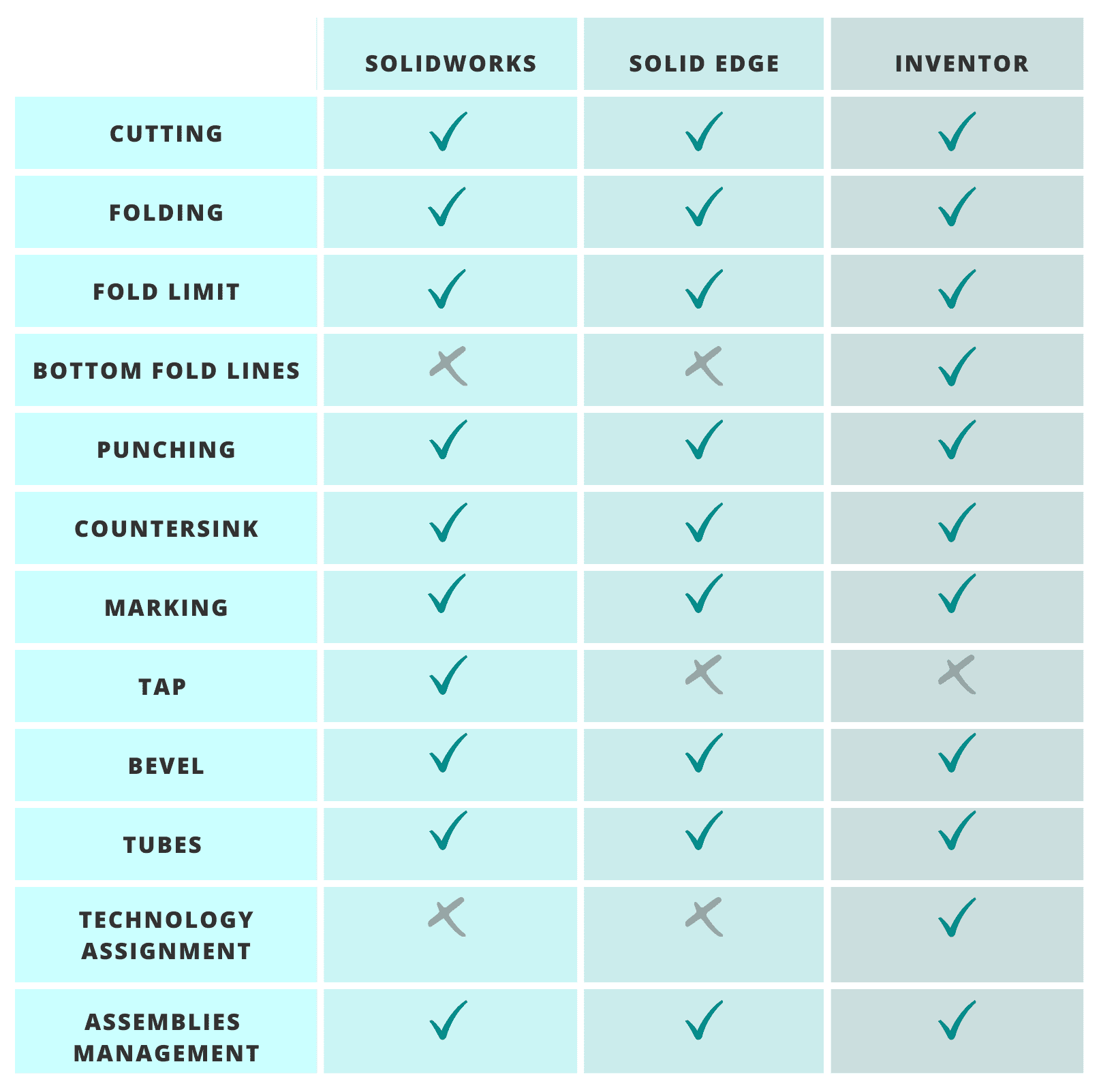
During export, the system detects and assigns manufacturing features such as bend lines, chamfers, threads and forming operations. This ensures accurate CNC programming and reduces manual intervention.
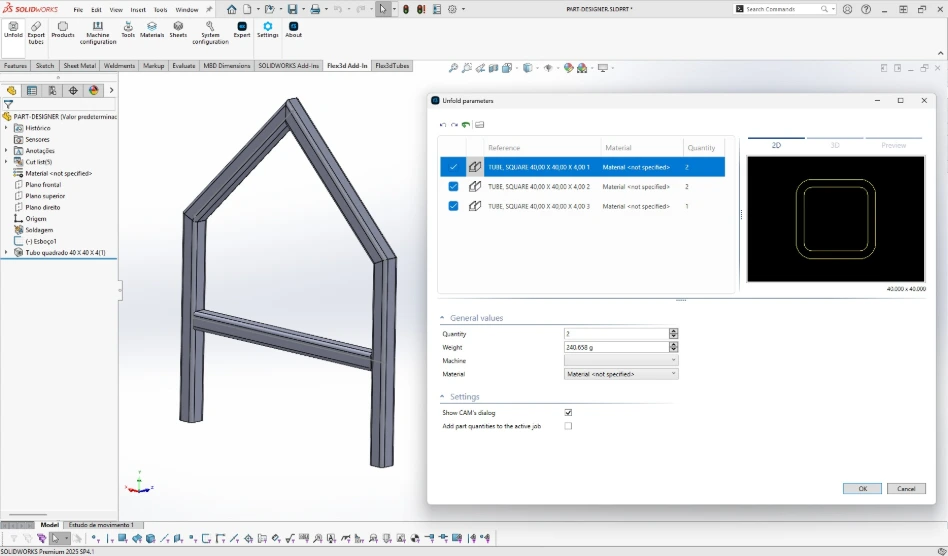
Export of tubes to Lantek Flex3D Tubes


Converts tubular structures from CAD into cut-ready data for tube cutting machines, including complex geometries and intersections.
Design variant management


Supports multiple configurations of the same part, enabling efficient management of product variants and batch production.

Unfolding preview with full control


Each imported part includes a preview of the flat pattern, allowing validation before sending it to production. Changes in the 3D CAD model are automatically updated in the associated 2D pattern within Lantek Expert.

Full integration with the Lantek ecosystem


Data is transferred automatically to Lantek Expert for cutting and punching operations, and to Lantek Integra and Lantek MES Manager for order management, materials control, traceability and cost tracking. This removes duplicate tasks, reduces administrative errors and ensures consistent data across the entire manufacturing process.
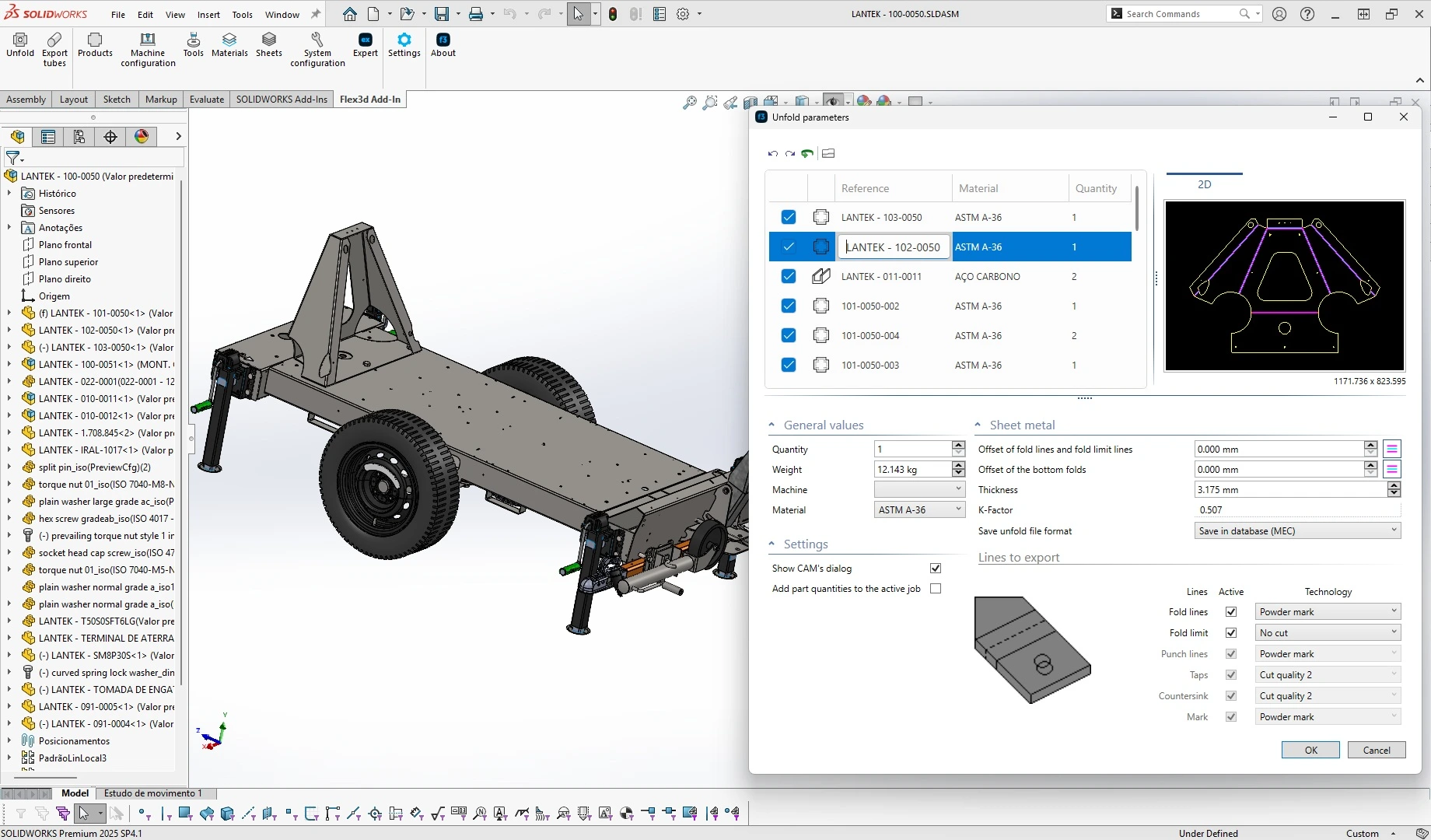
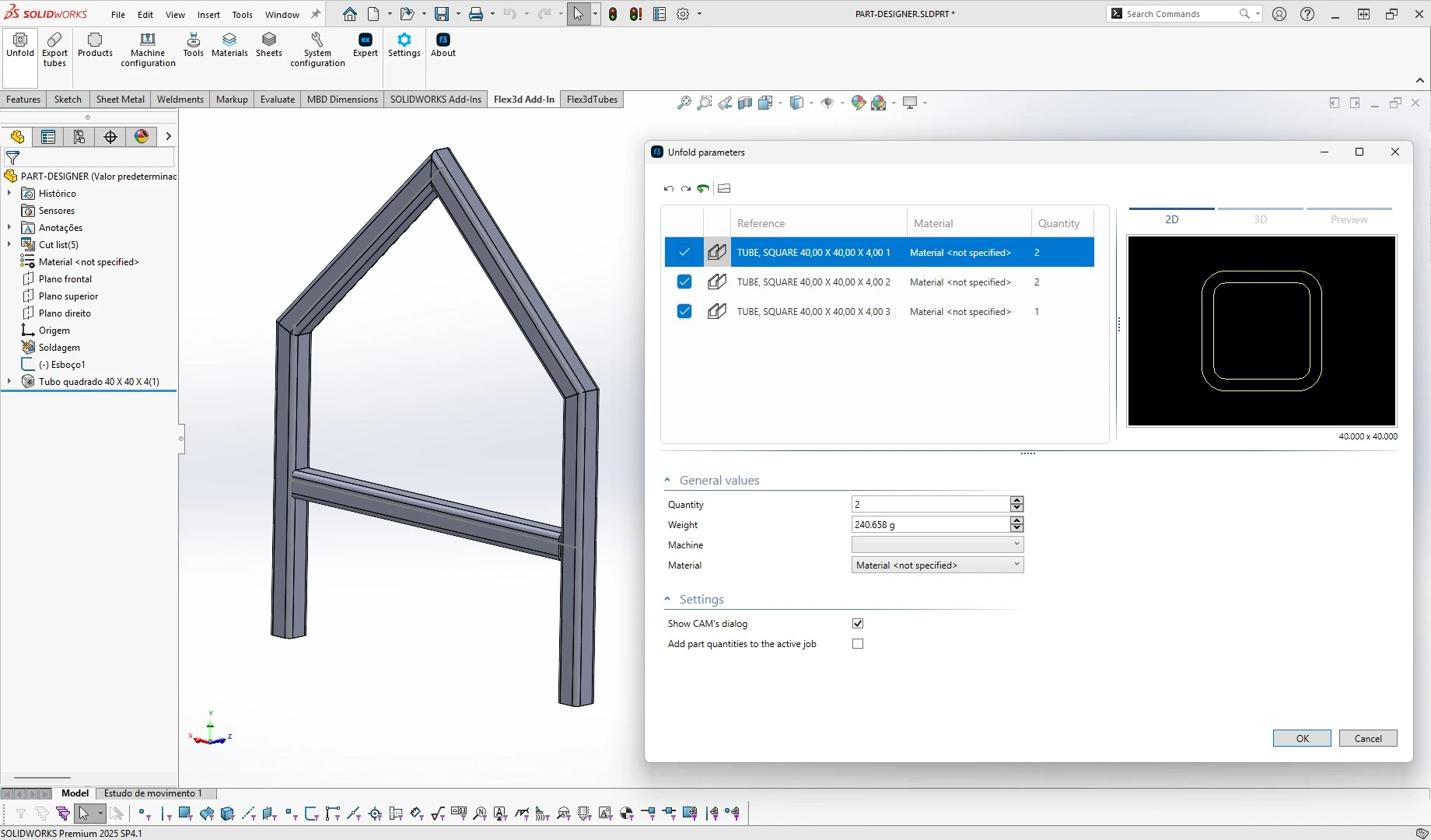
Image gallery

Success stories in plants with integrations


Your Dynamic Snippet will be displayed here... This message is displayed because you did not provide enough options to retrieve its content.

Frequently asked questions

In this section, you can find answers to common questions about CAD/CAM integration and sheet metal manufacturing workflows.

It is a set of applications that connects 3D CAD systems such as SolidWorks, Inventor and Solid Edge directly with Lantek Expert. It enables automatic unfolding and CNC programming of sheet metal parts without intermediate steps.

The Add-ins send models directly to manufacturing software without file conversion. This preserves geometry, materials and manufacturing parameters.

Lantek Flex3D Add-ins connect design and production, avoiding import errors and duplicated data.


Yes. The connector imports full assemblies while maintaining their structure. It automatically generates the BOM and links each part with MES and ERP systems for planning and production control.

Yes. The Add-ins detect model properties and transfer them to the Lantek environment, ensuring traceability and consistent programming data.

Yes. Lantek is a Solution Partner (SolidWorks), Voyager Partner (Solid Edge) and ADN Member (Autodesk Inventor), ensuring compatibility with these CAD systems.

Currently supports: SolidWorks (2023-2025), Inventor (2023-2025), and Solid Edge (2022-2024), all in 64-bit environments.

Yes. Tube models can be exported directly to Lantek Flex3D Tubes for nesting and CNC cutting.

Yes. You can review and edit the flat pattern before sending it to Lantek Expert for CNC programming.

The Add-ins remove the need for intermediate files and preserve manufacturing data such as bend lines, materials and thicknesses. This reduces errors and improves traceability between design and production.


A CAD connector avoids conversion errors, prevents file duplication and maintains a direct link between the 3D model and the 2D cutting pattern. Changes in the CAD model are reflected automatically in production, reducing programming time and improving traceability.

This feature is essential to avoid inconsistencies between the CAD model and the CNC program. 


A CAD connector eliminates conversion errors, prevents file duplication, and maintains the link between the 3D design and the 2D pattern. Any changes to the CAD model are automatically updated in production. This can reduce programming time by up to 70% and improve traceability between engineering and the workshop.

Yes. By eliminating intermediate files and maintaining the digital link between design and manufacturing, the connector ensures that each manufactured part corresponds exactly to the original CAD model.

Contact us


I have read and accept the Legal Notice and the Privacy Policy

Thank you for your feedback!

Our team will get back to you as soon as possible.

In the meantime, we invite you to visit ourwebsite.